job-workbench
A local-first, auditable AI-assisted job-search workbench: run the whole pipeline — from JD analysis to offer decision — in plain Markdown & CSV on your own disk. Drive it from the desktop app, the browser, or your own AI CLI.
Current version: 26.10.0
Features at a glance
- Four AI-assisted workflows:
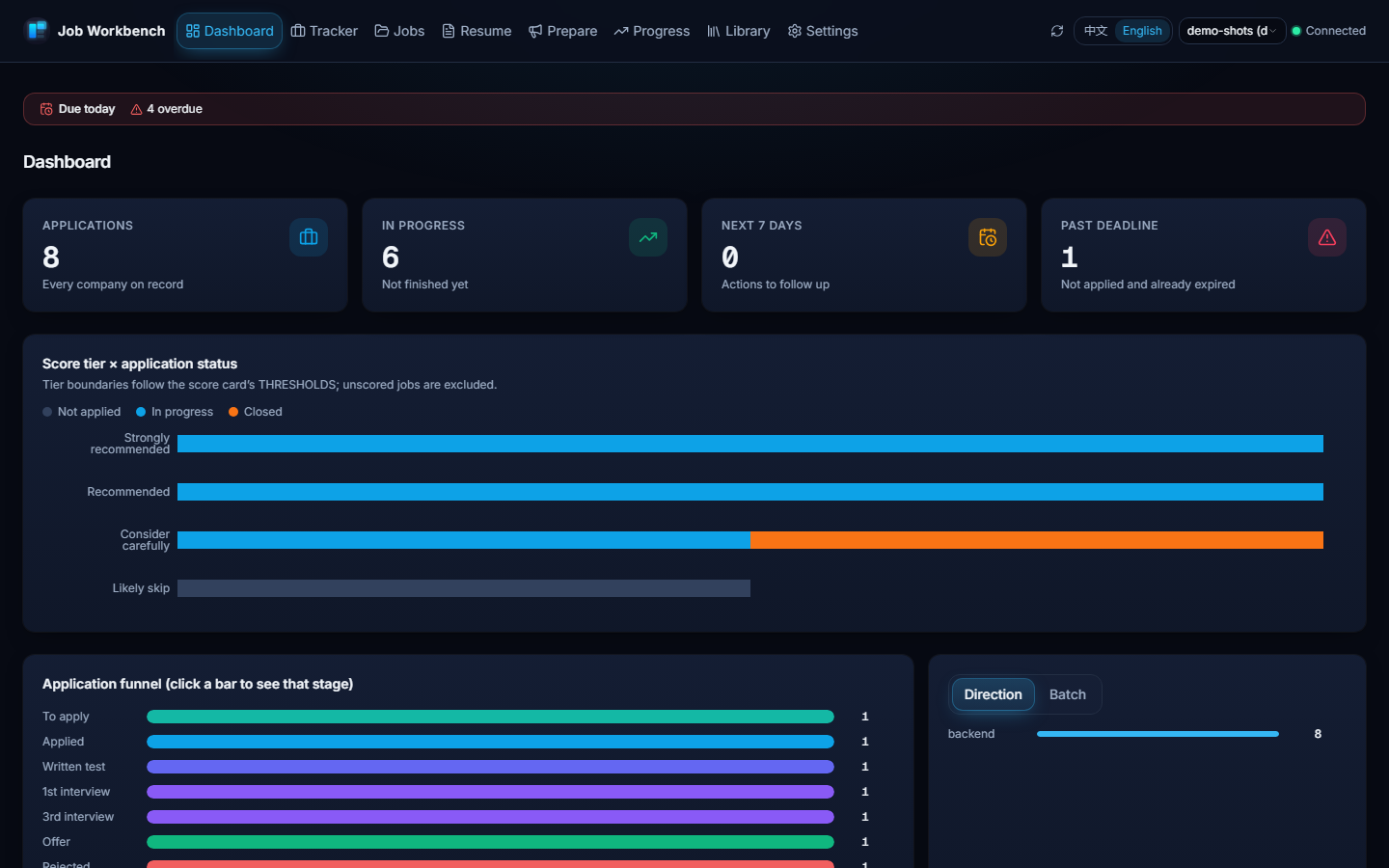
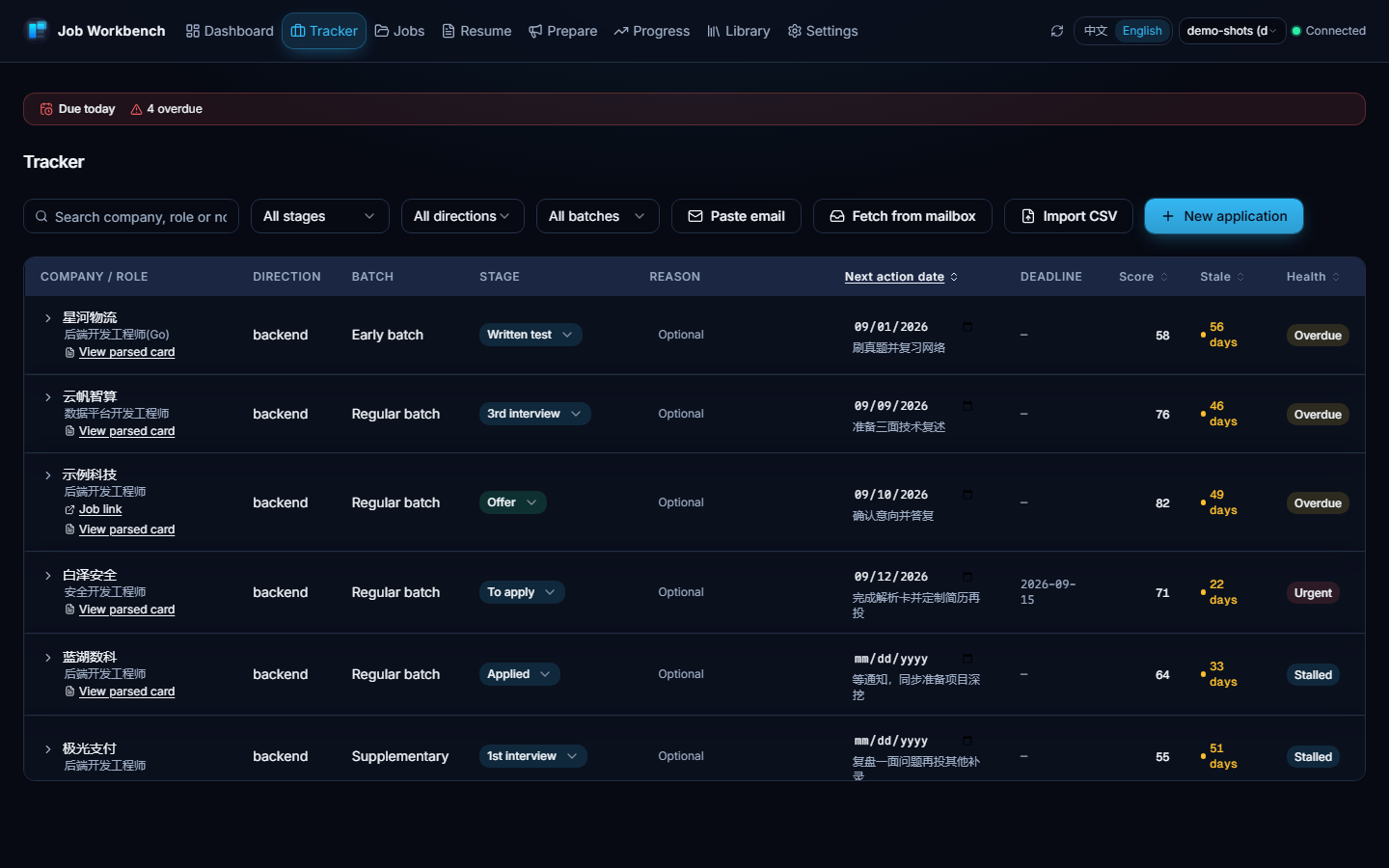
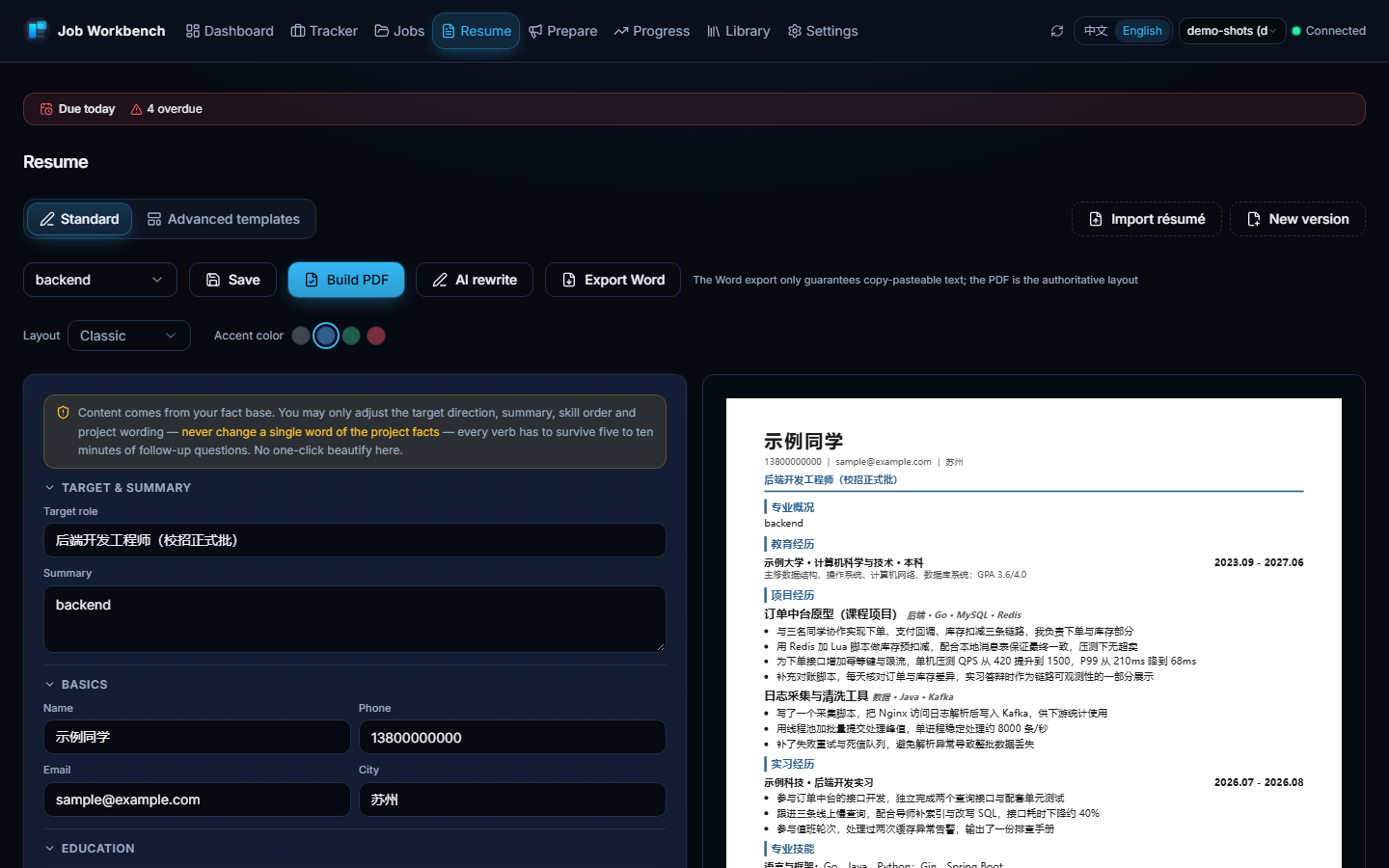
jwb-jd(JD parsing & scoring),jwb-apply(application package),jwb-track(tracker & funnel),jwb-resume(PDF rebuild & validation) — all driven by the in-repojobwsCLI; the full command reference is in the usage guide. - Web UI: eight pages (dashboard / tracker / job pool / resume workshop / prepare / progress / library / settings) sharing the very same data files as the CLI; one-click resume import that extracts rather than generates, guarded AI rewrite, freely combinable layouts and accent colors — every generated PDF is single-column and ATS-checked.
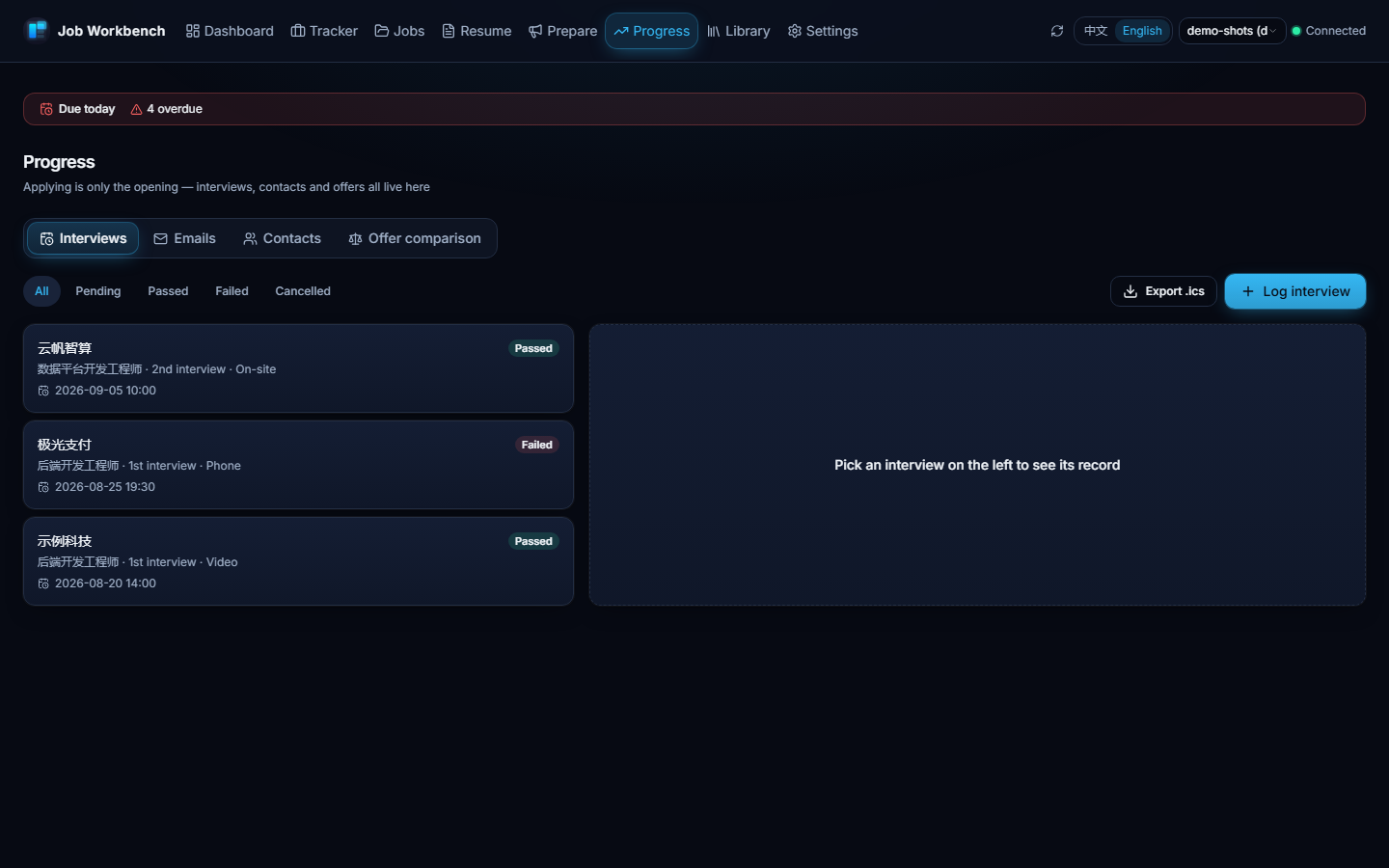
- Post-application loop: interview records with one-click
.icsexport, recruiter follow-ups, offer comparison (side-by-side facts, never a recommendation), version lineage, conversion retros, failure clustering, application health in four states — each with concrete, human-checkable reasons, never a black-box score. - Read-only email fetch (optional): pull recent recruiting emails with your own IMAP authorization code and turn them into per-record status suggestions — read-only, connected only when you click, credentials kept local; emails never change stages by themselves.
- Scoring framework: an eligibility gate first (degree → major → cohort → language → city), then four weighted dimensions → five-tier verdict; jobs with unfilled profile facts are "awaiting profile facts" — not scored, not killed, never guessed.
- Domain profiles are data, not code: two ship in the box (HVAC & cooling, software backend); author one pure-data profile per the domain contract to switch fields — validated by
jobws lint domains.
UI Preview
The screenshots below are the real interface in English, generated from demo data (jobws init --target demo --demo; companies, roles and names are placeholders). The interface is bilingual — switch it with the 中文 / English control in the header; the same pages in 简体中文 are on the Chinese homepage.
Quick start
# 1. Initialize a workspace — swap --domain for your field; add --demo to just look around
python tools/jobws.py init --target personal --domain hvac-cooling
# 2. Distribute skills / commands / subagents to your AI CLI (CodeBuddy / Claude Code / ~/.agents/skills/)
python tools/jobws.py skills install --target user
# 3. Fill in personal/AGENTS.md (hard eligibility facts), then tell your AI CLI: "parse this JD"
The CLI needs Python 3.12+ (standard library only); PDF generation uses Chrome or Edge. No environment yet? The Download page has the desktop installer (no Python / Node needed).
Referral
The optional AI features (resume import, AI rewrite) are BYOK — bring a key from any OpenAI-compatible provider. If you do not have one yet, the Settings page offers OrcaRouter as a preset optional provider. Full disclosure: this is a referral link — signing up through it earns the project author a commission; your pricing and benefits are unaffected, and clicking it only opens a web page (nothing is sent from the app by clicking).